This is something we never, ever knew until today.
We go by in life unaware of things that are right in front of us... and in the latest 'thing we didn't know until we were today years old', it turns out that you can scan documents onto your iPhone using the Notes app.
Yep, you know that app that you write your inner most feelings on - whether it's a risky text before you send it or your shopping list? You can do it on that.
So, if you didn't know this before, here's all you have to do in order to access it:
Go in to your Notes app
Open a new note
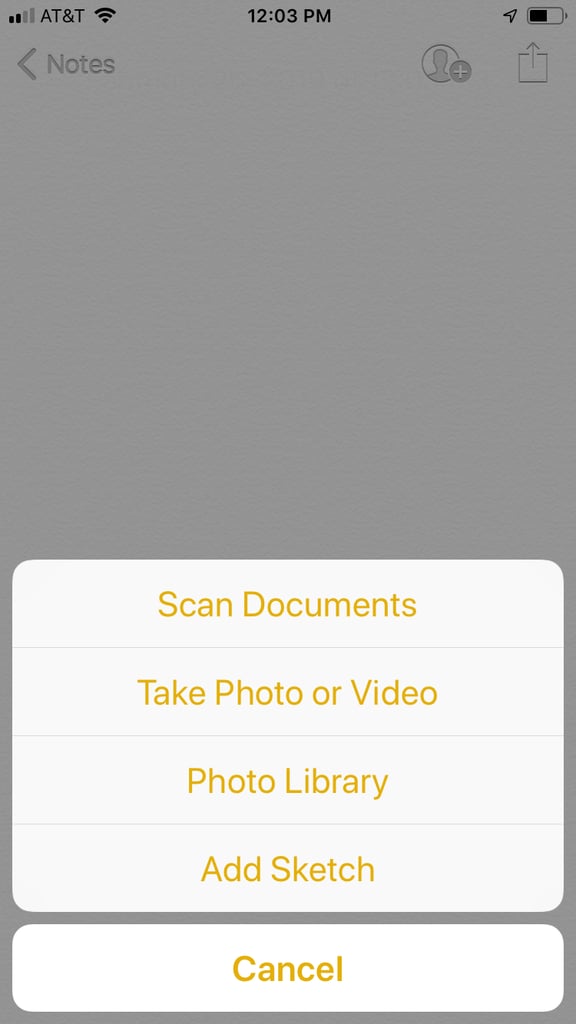
Locate and tap the '+' icon (it's on the bottom middle of your screen
When you tap the '+' icon, 'Scan Documents' should appear
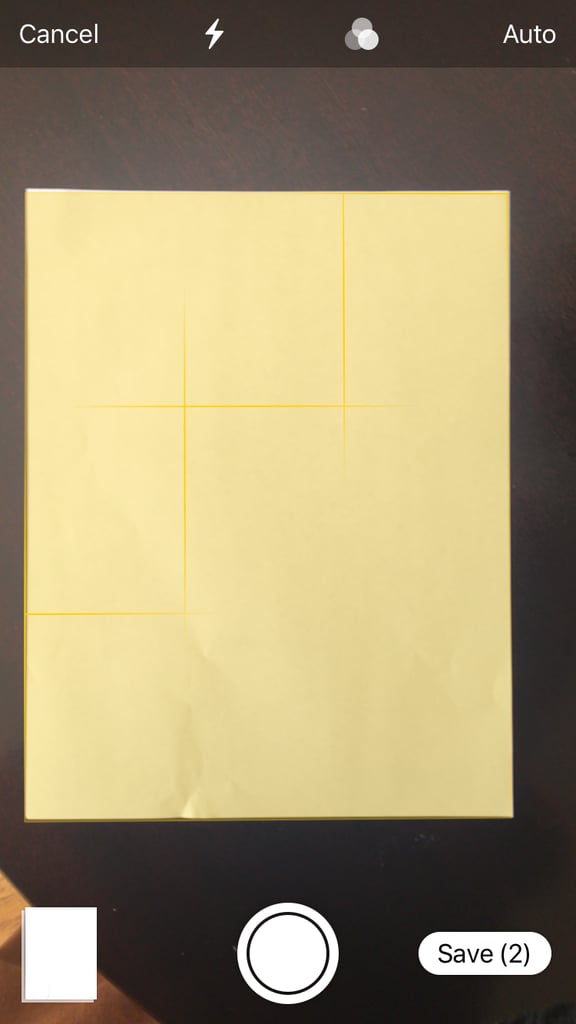
Once you hit that, your camera will appear. Place your document in front of your screen and the camera will locate it. It will turn yellow (it might take a few tries)
Once it's yellow it will be scanned to your phone and will be saved to your Notes file.
You can then send it by messages, email or whatever else you want!
This article contains affiliate links. We may earn a commission on any sales generated from it. The early Prime Day deal is now available Amazon has slashed the price of the Fire TV Stick to one of its lowest for a limited time. Shoppers can bag the device for better-than-half-price in an early Prime Day […]
This article contains affiliate links. We may earn a commission on any sales generated from it. ‘Compares well with the more pricey smartwatches’ Amazon has slashed a popular smartwatch by 79% that shoppers say is ‘better than a Fitbit’. The device has similar functions to brands such as Fitbit, Samsung, and even the Apple Watch […]
This article contains affiliate links. We may earn a commission on any sales generated from it. ‘Amazing for the price’ A best-selling Amazon device has dropped to its lowest price ever in an early Prime Day deal. The online retail giant is launching its Prime Day sale later this month, but shoppers can bag some […]